Product Info
| Uses | Unlimited Domains |
| Source | Original Authors |
| License | GPL |
| Version | ithemes-backupbuddy-9.1.20.zip |
| Last Updated | 15 Sept 2026 |
Get with Membership
Access 500+ products
Starter
₹799
5/day
Premium
₹1,299
10/day
Developer
₹1,999
15/day
Wordpress Plugins
iThemes BackupBuddy
Choose Plan
Lifetime Updates
Lifetime download access
₹599
One Year Updates
1 Year download access
₹399
No Demo
Request UpdateWhat You Get
Original GPL Licensed Files
Unlimited Domain Usage
Instant Download Access
Free Manual Updates
100% Clean & Virus Free
Secure Payment
Instant Access
Free Updates
Product Description
iThemes BackupBuddy
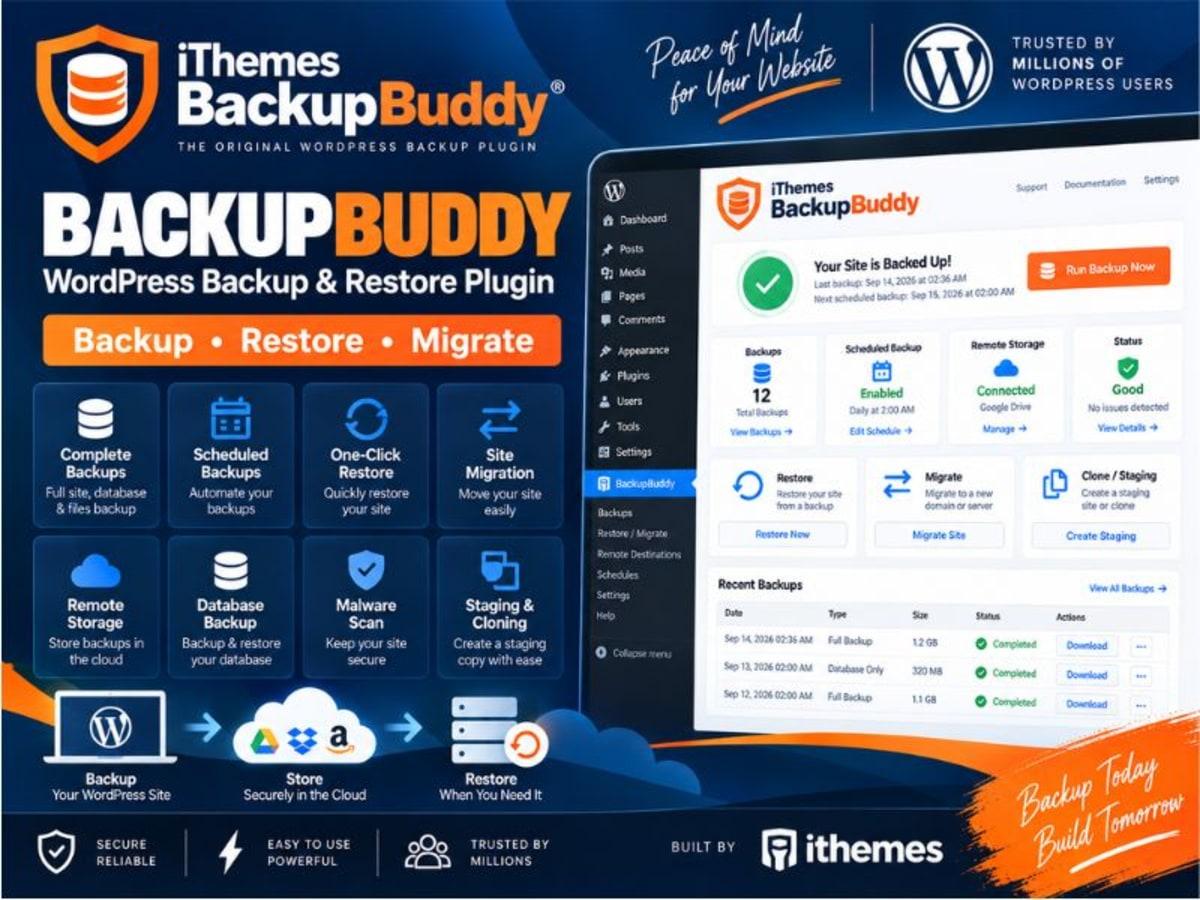
iThemes BackupBuddy is a complete WordPress backup, restore and migration solution built for site owners who can’t afford to lose their work. Unlike the simple free backup tools that only do a full dump, BackupBuddy lets you control exactly what gets saved and where it goes.
If you manage client sites, run a WooCommerce store, or just have a blog you’ve spent years building, this is the kind of plugin you install for peace of mind. It handles the entire safety net — from creating a full copy of your database and files to shipping that copy off-site and helping you restore it in a few clicks if an update breaks something. It solves the real problem of not having to rebuild everything from scratch or rely on your host’s unpredictable backups.
Core Features and Practical Value
BackupBuddy is focused on reliability and flexibility rather than just making one big zip file. Here are the parts that are most useful in day-to-day use:
1. Custom Backup Profiles
You are not locked into a single backup type. You can run a database-only backup before making content changes, a files-only backup when you update your theme, or a complete full backup. You can also create custom profiles to exclude certain folders, which keeps backup sizes manageable.
2. Downloadable Zip Backups
Every backup is packaged as a standard zip file that you can download directly from your WordPress dashboard. That file contains everything needed to rebuild your site elsewhere — no proprietary format to worry about.
3. Flexible Scheduled Backups
You can set backups to run automatically on a schedule that fits your site — hourly, twice daily, daily, every other day, bi-weekly, weekly, or monthly. For a busy store or news site, the more frequent options are essential, while a small brochure site can stay on weekly.
4. Remote Off-Site Storage
Keeping backups on the same server is risky. BackupBuddy can automatically send copies to remote destinations like BackupBuddy Stash, Amazon S3, Google Drive, Dropbox and others. Even if your hosting account goes down, your backup is safe elsewhere.
5. Instant Email Notifications
You get notified right after a backup completes or if it needs attention. That way you are not left guessing whether last night’s scheduled backup actually worked.
6. Restore and Migration with ImportBuddy
The included ImportBuddy tool is what makes restoring practical. Upload your backup zip and the ImportBuddy script, and it walks you through restoring or moving the site to a new domain or host. It also handles database restoration if you just need to roll back after a faulty plugin update.
Where BackupBuddy Comes in Handy
Before Major Updates: You are about to update WordPress core, WooCommerce, or a page builder. Run a quick database + full backup, send it to Drive, then update with confidence. If something breaks, ImportBuddy gets you back in minutes.
Client Site Handover and Migration: When you build a site on a staging domain and need to move it to the client’s live hosting, BackupBuddy’s full backup and migration flow saves hours compared to manual file and SQL exports. No broken URLs or missing uploads.
Ongoing Protection for Active Sites: For an online store or membership site where orders and user data change daily, setting an automated daily database backup to S3 or Stash means you never lose more than a day’s worth of transactions.
Things to Keep in Mind Before You Use It
Backups can be resource-intensive, so avoid running full backups on the hour during peak traffic on shared hosting — your host may throttle CPU or memory. If your site is very large (over 5-10GB) or has huge media libraries, do a few test backups on a staging copy first and consider excluding cache folders and backups themselves from the profile.
Also, the restore process with ImportBuddy requires you to upload files via FTP and run the import script, so test that workflow once on a subdomain or localhost so you are familiar with it before an emergency. As with any backup plugin, keep at least one copy off-site and verify the zip can be opened.
Support the Original Developer
If BackupBuddy fits your workflow and you plan to use it on a live or client site, purchasing a proper license is the right move. You get automatic updates, official support, and Stash storage access, and you directly support the team that maintains the plugin. Try the official demo and details first to see if it matches your hosting setup.
Product Details
Versionithemes-backupbuddy-9.1.20.zip
CategoryWordpress Plugins
LicenseGPL
Downloads0
Last Updated15 Sept 2026
What You Get
Original GPL Licensed Files
Unlimited Domain Usage
Instant Download Access
Free Manual Updates
100% Clean & Virus Free
GPL vs Original
| Feature | GPL | Original |
|---|---|---|
| Original Files | ✅ | ✅ |
| Unlimited Downloads | ✅ | ✅ |
| Unlimited Websites | ✅ | ❌ |
| One-Time Payment | ✅ | ~ |
| No License Key | ✅ | ❌ |
| Author Support | ❌ | ✅ |