Product Info
| Uses | Unlimited Domains |
| Source | Original Authors |
| License | GPL |
| Version | ht-mega-pro-2.2.2.zip |
| Last Updated | 15 Sept 2026 |
Get with Membership
Access 500+ products
Starter
₹799
5/day
Premium
₹1,299
10/day
Developer
₹1,999
15/day
Elementor Addons
HT Mega Pro for Elementor
Choose Plan
Lifetime Updates
Lifetime download access
₹599
One Year Updates
1 Year download access
₹399
What You Get
Original GPL Licensed Files
Unlimited Domain Usage
Instant Download Access
Free Manual Updates
100% Clean & Virus Free
Secure Payment
Instant Access
Free Updates
Product Description
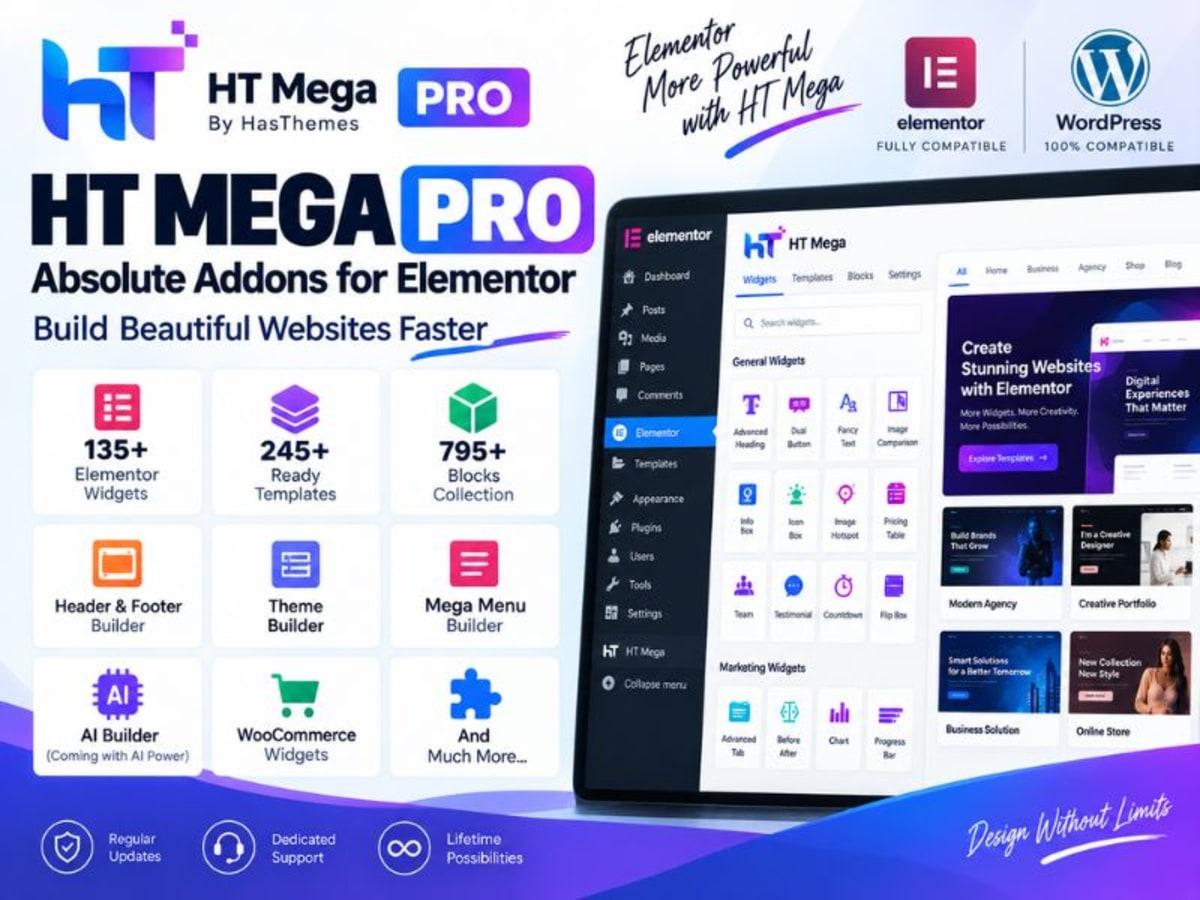
HT Mega Pro is an all-in-one addon pack for Elementor. If you build with Elementor, you already know the free version leaves you hunting for extra widgets for everything from advanced headings to product grids. This plugin fills those gaps by adding a large library of elements, extensions, and ready-made templates directly inside the Elementor panel.
It’s built for freelancers, small business owners, and anyone managing their own WordPress site who wants more design control without installing ten separate single-purpose addons. Instead of juggling multiple plugins for a countdown timer, post slider, team section, and WooCommerce elements, you get them in one maintained codebase. That keeps your site lighter, your editor more consistent, and your workflow a lot faster when you are mocking up layouts for a client or testing an idea for your own store.
Core Features and Why They Are Actually Useful
80+ Custom Elements for Elementor
This is the main reason people grab it. You get elements like Advanced Accordion, Price List, Countdown, News Ticker, Image Magnifier, and Progress Bars that feel like native Elementor widgets. They use the same styling controls, so you are not learning a new interface for each block. Great for building service pages or landing pages without custom code.
WooCommerce Focused Widgets
If you run a shop, the product-specific widgets save hours. You can drop in product grids, single product displays, category thumbnails, cart and checkout enhancements, and sale countdowns. The styling ties directly into Elementor’s typography and color system, so your shop actually matches your site instead of looking like a default WooCommerce template.
Header, Footer and Mega Menu Builder
You can design custom headers and footers and build proper mega menus visually. For sites with a lot of categories or services, this means you can lay out columns, icons, images, and badges inside the menu without a separate menu plugin. It respects responsive controls too, so you can set a completely different mobile menu layout.
Extensions That Improve Existing Widgets
Beyond new elements, HT Mega Pro extends what Elementor already does. This includes particle effects, gradient backgrounds, custom CSS for sections, sticky and parallax options, and reading progress bars. They are toggles inside the Elementor settings, so you only activate what you need and keep the rest disabled for performance.
Ready Templates and Blocks
The library comes with importable page blocks and full-page templates for business, portfolio, restaurant, fitness, and eCommerce niches. I find these most useful for practice. You can import a block, pull it apart to see how the margins, columns, and effects were structured, and then rebuild it in your own style. Much faster than starting from a blank canvas every time.
Performance and Compatibility Controls
From the plugin dashboard you can enable or disable individual widgets. If you only need five elements for a project, turn off the other seventy. That reduces scripts loaded on the front end and keeps load time reasonable, which is important when you are testing on a staging site before moving to live hosting.
Practical Use Cases Where It Saves Real Time
1. Building a Client Mockup Without Buying Extra Addons
Say a local cafe wants a new site and you need to show them a concept first. You can use this GPL copy on a local subdomain to build a homepage with an interactive banner slider, menu price list, testimonial carousel, and Instagram feed. The client sees something polished, and you haven’t purchased a license before the project is even approved.
2. Creating a WooCommerce Store Demo
For anyone learning how to sell online, understanding layout is half the battle. You can set up a dummy store with a few sample products and test different product grid styles, filter layouts, and single product page designs. Change the typography, try hover effects, and see what actually converts in a test environment before you spend money on the official license for the live store.
3. Learning Elementor Structure for Freelance Work
If you are new to freelancing, pulling apart the ready templates is excellent training. Import a landing page, check how they grouped sections, used absolute positioning, or layered background overlays. Replicate it for a personal portfolio site. By the time you work on a paid project, you will know exactly which widget does what and how to keep the editor organized.
Things to Keep in Mind Before You Use It
Like any powerful Elementor addon, this plugin works best when your environment is up to date. Keep WordPress and Elementor (or Elementor Pro if you use it) updated on your test site, and test new imports on staging first. Because it adds so many widgets, activating everything at once can add extra CSS and JS. Only keep what you need enabled.
Some highly specific WooCommerce widgets expect WooCommerce to be installed and configured with products. If you see an empty widget, check that you have sample products and categories set up. Also, if you use caching or optimization plugins, clear the cache after importing templates so styles render correctly. This is for local learning and experimentation, so run your trials there before considering it for any live client work.
Support the Original Developer and Go Official When Ready
When you move from practice to a live client project, buying the official HT Mega Pro license is the right step. That purchase gives you automatic updates, ticketed support from the HasThemes team, and compatibility assurance for future WordPress and Elementor releases. It also funds continued development, so the widget library keeps growing and stays secure. If you like how it handles on your test site, support the creators and keep the WordPress ecosystem sustainable.
Product Details
Versionht-mega-pro-2.2.2.zip
CategoryElementor Addons
LicenseGPL
Downloads0
Last Updated15 Sept 2026
What You Get
Original GPL Licensed Files
Unlimited Domain Usage
Instant Download Access
Free Manual Updates
100% Clean & Virus Free
GPL vs Original
| Feature | GPL | Original |
|---|---|---|
| Original Files | ✅ | ✅ |
| Unlimited Downloads | ✅ | ✅ |
| Unlimited Websites | ✅ | ❌ |
| One-Time Payment | ✅ | ~ |
| No License Key | ✅ | ❌ |
| Author Support | ❌ | ✅ |