Product Info
| Uses | Unlimited Domains |
| Source | Original Authors |
| License | GPL |
| Version | enfold-multi-purpose-theme-8.1.zip |
| Last Updated | 14 Sept 2026 |
Get with Membership
Access 500+ products
Starter
₹799
5/day
Premium
₹1,299
10/day
Developer
₹1,999
15/day
Wordpress Themes
Enfold - Multi Purpose Theme
Choose Plan
Lifetime Updates
Lifetime download access
₹599
One Year Updates
1 Year download access
₹399
What You Get
Original GPL Licensed Files
Unlimited Domain Usage
Instant Download Access
Free Manual Updates
100% Clean & Virus Free
Secure Payment
Instant Access
Free Updates
Product Description
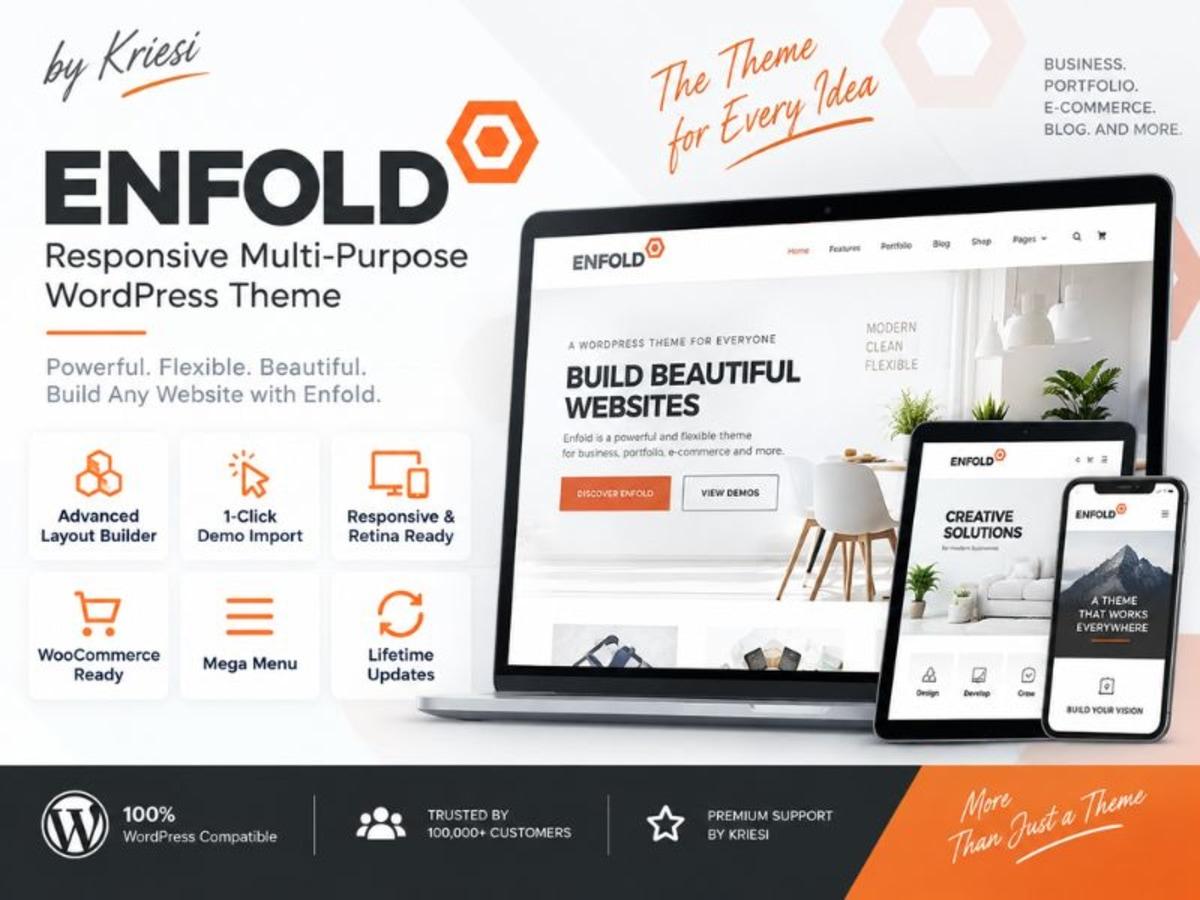
Enfold is one of those long-standing multipurpose WordPress themes that tries to cover almost every type of site in one package. It comes with its own drag-and-drop Avia Layout Builder, dozens of pre-built demo sites, and deep WooCommerce integration. If you are tired of juggling ten different plugins to get a business site, portfolio, shop, or blog to look professional, this is the kind of theme that bundles everything together.
Who gets the most out of it? Freelancers who need to spin up client sites quickly, small business owners who want a clean corporate look without hiring a developer for every change, and shop owners who need product pages, carts, and filtering to just work. The core problem it solves is consistency — header, footer, typography, blog layouts, and shop pages all follow the same Advanced Styling system, so you are not patching together mismatched plugins.
You can use it to practice real client workflows on a staging or local site. Import a demo, replace the content with your own, test how the header builder behaves with a transparent overlay, or see how the shop elements handle variable products before you commit to anything on a live domain.
Core Features That Make Enfold Practical to Use
Instead of listing every option in the theme panel, here are the parts that actually save time when you build with it day to day.
1. Avia Layout Builder (ALB) With Truly Visual Editing
The builder is built directly into the theme, so there is no extra plugin to keep in sync. You get columns, color sections, sliders, tabs, pricing tables, and grids as native elements. The recent fixes for unique ID generation after editing a page and for duplicated content sliders make the builder much more reliable when you clone sections or reuse layouts across pages.
2. Advanced Styling and General Styling Controls
Enfold gives you a centralized place to set fonts, colors, background images, and header behaviors without writing CSS. The logic for background handling has been corrected so a global background image set in General Styling no longer overrides a specific Color Section background, which was a frustrating issue when building layered one-page designs.
3. Reliable WooCommerce Integration
For shops, Enfold covers the full flow from shop archive to single product and cart. Product variations now correctly update SKU information inside the ALB Product Purchase Button, the single product page no longer throws a fatal error related to product objects, and the mobile cart icon is again clickable when using the centered logo with menu below layout. Small fixes, but they prevent lost sales.
4. Performance Conscious Structure and Masonry Elements
The Avia Masonry and Icon Grid elements are popular for portfolios and service sections. Recent corrections fix broken layouts when icon grid padding is set to zero and when fullscreen elements are placed inside an icon grid textbox outside a section or column. The masonry function also now handles missing context parameters gracefully, which avoids PHP warnings on stricter server setups.
5. Contact Forms With Built-in reCAPTCHA Support
You don’t need a separate form plugin for simple inquiries. The theme’s contact form element now submits correctly on the first click when reCAPTCHA is enabled, after a JavaScript error that previously required a double click was resolved. It is a small detail that improves conversion on landing pages.
6. Wider Compatibility and Localization
The theme handles edge cases like jQuery loaded in the footer without throwing a not defined error in the shop, and it adds safety checks for icon font filters to stay compatible with newer PHP versions. Updated language files for Italian, Dutch, and French also make it easier to run multilingual or local client sites without manually translating strings.
Where Enfold Fits Into Real Projects
A Quick Corporate or Agency Site From a Demo
Import one of the business demos, keep the structure, and swap in your client’s branding, images, and copy. Because the header, footer, and color sections are all controlled from the theme options, you can rebrand an entire demo in an afternoon and still have clean, responsive behavior on mobile.
A Small WooCommerce Shop Without Extra Builders
If you are building a shop with 20 to 200 products and want product grids,_ajax cart, and variable product support without adding Elementor plus a shop addon, Enfold keeps it lean. You can design product pages with ALB elements and keep checkout fast and simple, which is ideal for local stores and niche product sellers.
Product Details
Versionenfold-multi-purpose-theme-8.1.zip
CategoryWordpress Themes
LicenseGPL
Downloads0
Last Updated14 Sept 2026
What You Get
Original GPL Licensed Files
Unlimited Domain Usage
Instant Download Access
Free Manual Updates
100% Clean & Virus Free
GPL vs Original
| Feature | GPL | Original |
|---|---|---|
| Original Files | ✅ | ✅ |
| Unlimited Downloads | ✅ | ✅ |
| Unlimited Websites | ✅ | ❌ |
| One-Time Payment | ✅ | ~ |
| No License Key | ✅ | ❌ |
| Author Support | ❌ | ✅ |