Product Info
| Uses | Unlimited Domains |
| Source | Original Authors |
| License | GPL |
| Version | divi-wordpress-theme-5.13.0.zip |
| Last Updated | 15 Sept 2026 |
Get with Membership
Access 500+ products
Starter
₹799
5/day
Premium
₹1,299
10/day
Developer
₹1,999
15/day
Wordpress Themes
Divi Wordpress Theme with API Key
Choose Plan
Lifetime Updates
Lifetime download access
₹599
One Year Updates
1 Year download access
₹399
What You Get
Original GPL Licensed Files
Unlimited Domain Usage
Instant Download Access
Free Manual Updates
100% Clean & Virus Free
Secure Payment
Instant Access
Free Updates
Product Description
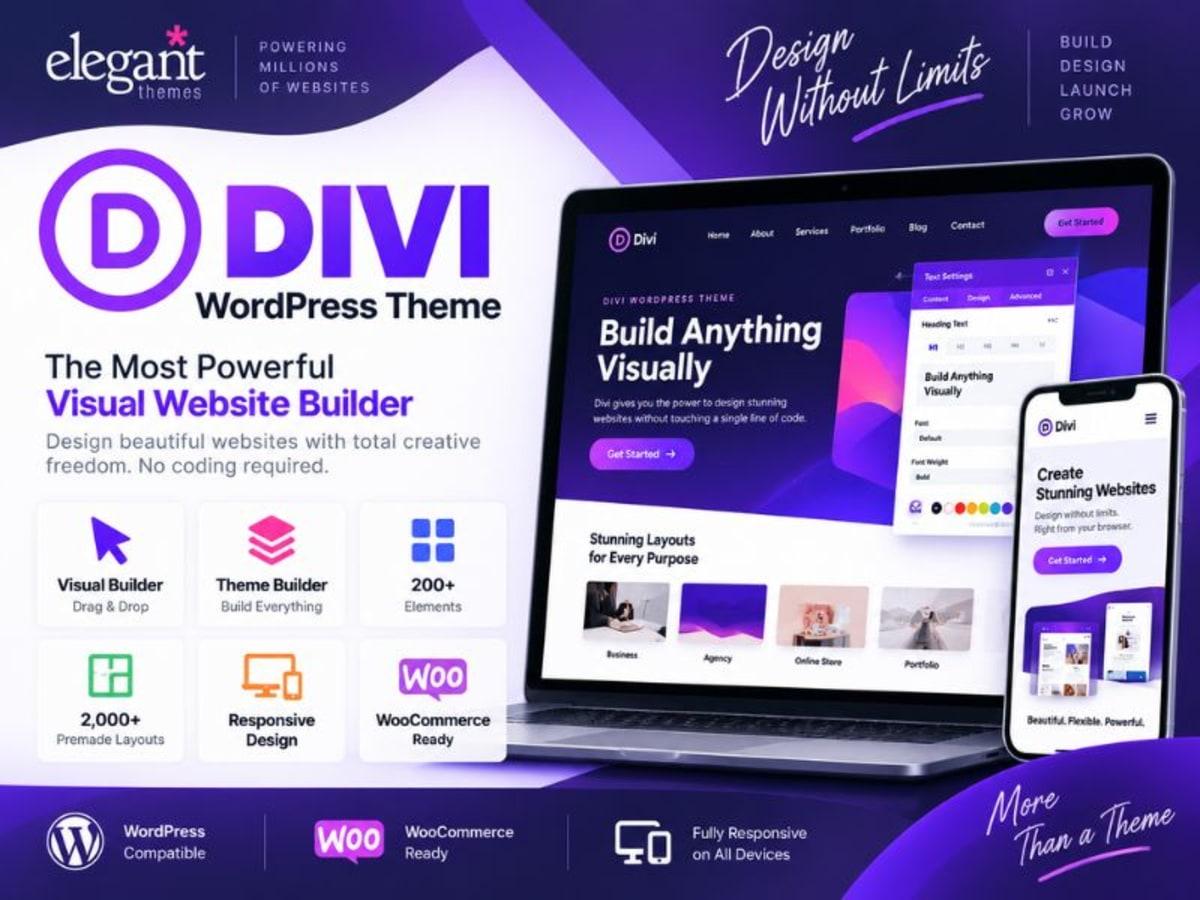
Divi Theme is not just a theme in the traditional sense. It is a complete visual site-building system from Elegant Themes that replaces the need for a separate page builder plugin. Once activated, it adds the Divi Builder to every page, post, and custom template on your site, letting you design everything from headers and footers to product pages and blog archives with a live front-end editor.
It solves a very specific problem: you want total design control without writing custom CSS for every section or juggling multiple plugins for headers, layouts, and styling. For freelancers, agency developers, and small business owners who manage their own sites, Divi gives you a single interface to control typography, colors, spacing, responsive behavior, and global styles. The included API Key field under Divi > Theme Options > Updates is used to connect your site to the Elegant Themes account system for direct updates and template access when you have a valid license, but the theme itself is fully functional for local development and learning without it.
Core Features and Practical Value
What makes Divi stay so popular after all these years is how much it bundles into one consistent interface. You are not switching between theme settings, builder settings, and customizer panels — it is all connected.
1. True Visual Drag-and-Drop Builder
You build directly on the front end. What you click is what your visitor will see. You can drag rows, columns, and over 40 content modules into place, adjust padding and margins visually, and see your responsive breakpoints instantly. For client work, this saves hours of back-and-forth previews.
2. Theme Builder for Headers, Footers and Templates
Beyond the page content, the Theme Builder lets you design global templates. You can create a custom header with a different menu for your landing pages, a unique footer for your shop, or a specific layout for all single posts in a category. This is integrated with the WordPress Block Editor template system, so it does not break when you edit templates in WordPress itself.
3. Global Presets, Colors and Fonts
Instead of styling every button or heading one by one, you can define global presets. Set your brand colors, heading fonts, and button styles once, and apply them across the entire site. If a client changes their brand color later, you update it in one place. Recent fixes have also made the history for these presets much more reliable, so changes save correctly every time.
4. Deep WooCommerce Integration
Divi includes dedicated WooCommerce modules like Woo Products, Woo Notices, and Divi Checkout modules. You can design your product grid, cart, and custom checkout pages without touching a template file. The builder now handles WooCommerce products correctly even when you are using a Full Site Editing theme structure, and it resolves layout and validation quirks on the checkout page.
5. Reliable Performance and Compatibility Fixes
A lot of the practical value is in the maintenance. Things like lazy loading images only for below-the-fold content when the builder is active, fixing section dividers in Safari, preventing menu items from wrapping awkwardly, and ensuring pricing tables inherit colors properly — these small refinements keep the front end stable and prevent common client complaints.
6. Portability and SVG Support
You can export and import layouts, templates, and theme settings between sites through the portability system, and it now supports SVG files in those exports. This is incredibly handy when you are moving a tested design from your local setup to a staging site.
Practical Use Cases Where Divi Makes Sense
For Freelancers Building Client Sites Quickly
If you have a client who needs a corporate site, a restaurant site, and a small shop all in the same month, Divi lets you reuse your header, footer, and section presets instead of starting from zero. You can build a wireframe on localhost, export the layout, and import it for the next client with just color and font changes.
For Store Owners Who Need a Custom Checkout
Instead of using the default WooCommerce checkout that looks the same as everyone else’s, you can use the Divi Checkout modules to rearrange fields, add trust badges, and style the payment form to match your brand. This helps reduce friction and makes the store feel more intentional.
For Learners Practicing Theme Customization
If you are learning how premium themes handle options panels, template hierarchy, and builder integration, Divi is a great case study. You can open the Theme Options panel, test the Role Editor, experiment with the Theme Builder logic, and understand how global styles are applied — all locally, without risking a live site.
Product Details
Versiondivi-wordpress-theme-5.13.0.zip
CategoryWordpress Themes
LicenseGPL
Downloads0
Last Updated15 Sept 2026
What You Get
Original GPL Licensed Files
Unlimited Domain Usage
Instant Download Access
Free Manual Updates
100% Clean & Virus Free
GPL vs Original
| Feature | GPL | Original |
|---|---|---|
| Original Files | ✅ | ✅ |
| Unlimited Downloads | ✅ | ✅ |
| Unlimited Websites | ✅ | ❌ |
| One-Time Payment | ✅ | ~ |
| No License Key | ✅ | ❌ |
| Author Support | ❌ | ✅ |